
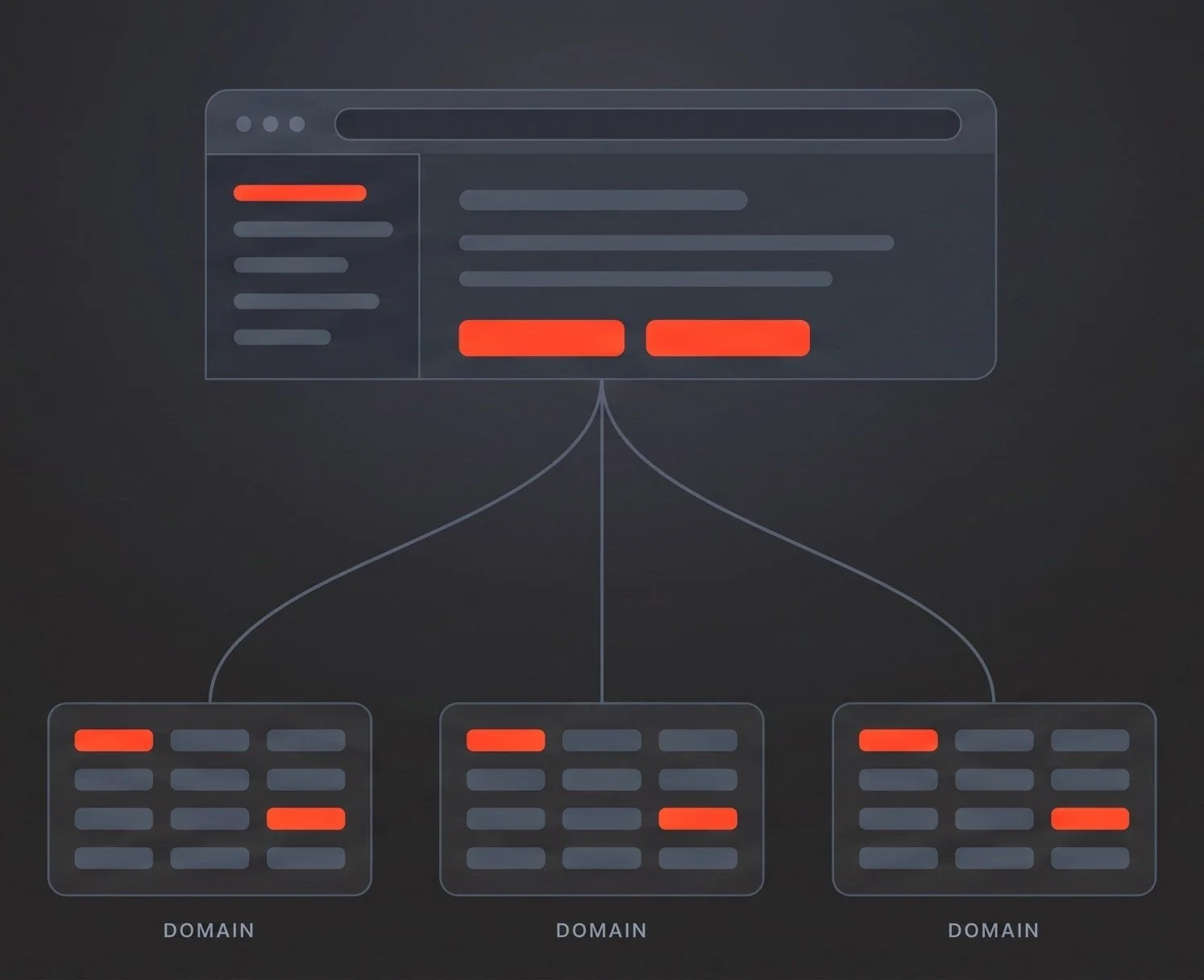
Universal Policy Administrator provides an offline repository for your Group Policy change process: check-out, edit, approval and deployment as separate steps. Every version archived with a full audit trail. Its browser console allows you to manage every domain, trusted or untrusted, from a single server.
Manage the lifecycle of your Group Policy Objects
ENTERPRISE POLICY MANAGEMENT
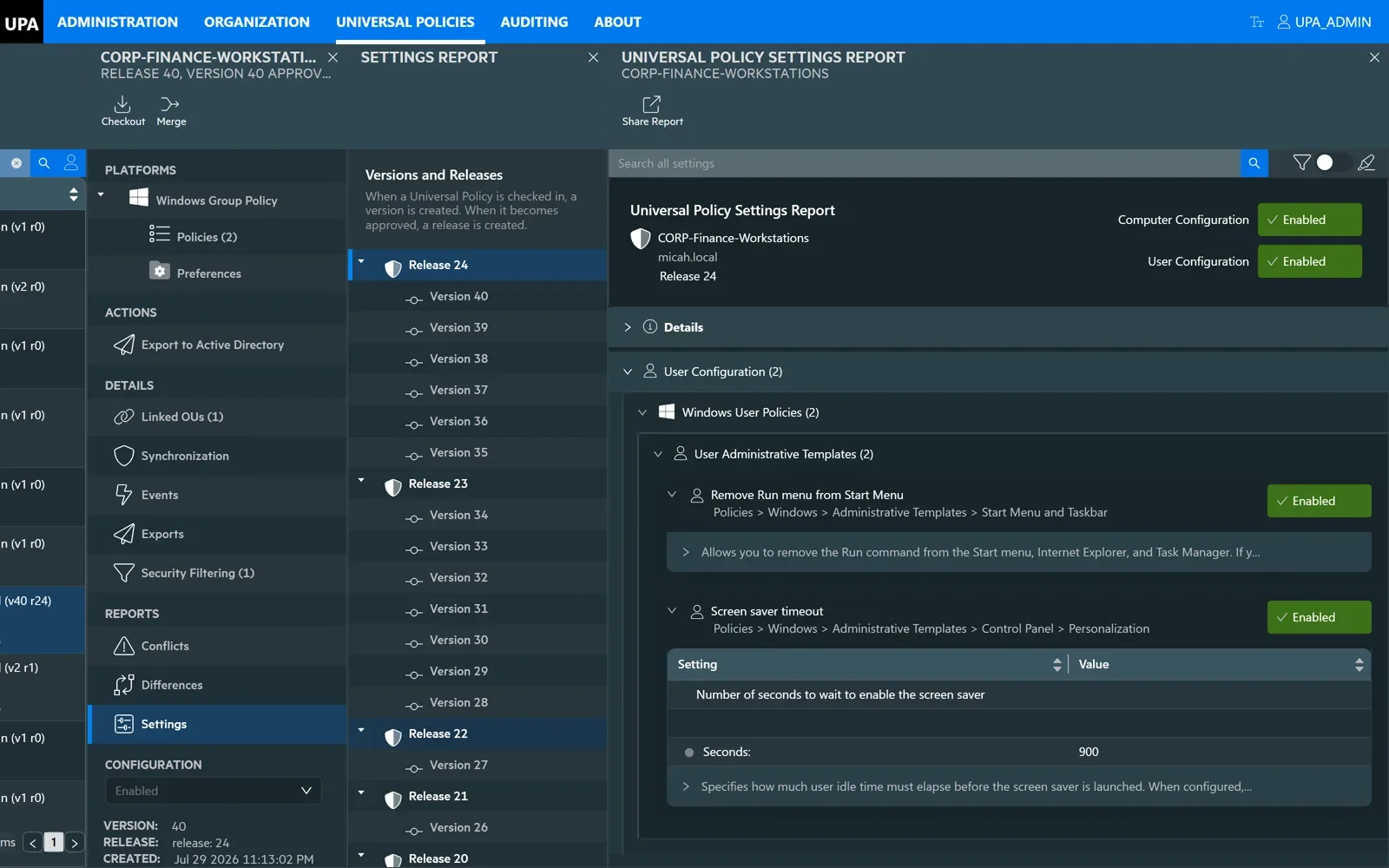
UNIVERSAL POLICY SETTINGS REPORT EXAMPLECHANGE CONTROL & AUDIT
Native Group Policy has no draft state. There is no copy under review and no staging area — there is the live object in SYSVOL, and every save is production. UPA supplies the intermediate state the tool does not have.
Every Group Policy change then follows the same sequence. Nothing reaches Active Directory until it has been checked in, approved, and deployed by users or groups designated by you.
Edit > Approve > Deploy - with audit trail
CHECK OUT
The policy is locked to one editor
Nobody else can change it while it is checked out. Active Directory is untouched.
EDIT
Changes are made inside UPA
Settings, templates, preferences and filters are edited in the console.
CHECK IN
A new version is created
The editor supplies a comment explaining the change. The previous version is kept, not overwritten.
SUBMIT
The change is sent for approval
The editor submits the version with a reason - typically a change or ticket reference.
APPROVE
A different account signs it off
The approver reviews the change and approves or rejects it. Approval rights are separate from editing rights.
DEPLOY
The approved version is exported to AD
Deployment is a separate action and the only step that changes Active Directory.
REQUEST TO PRODUCTION 0:40 · NO SOUND
A change raised against a ticket and awaiting approval. It is approved by a different account, and the resulting history records both steps: checked in and submitted by one account, approved by another.Nothing is overwritten. A full version history is maintained for documentation, rollback and comparison purposes.Every version archived
Each of the three main steps of the lifecycle — Edit, Approve, Export — can be assigned to different users and groups within your organization.Role-based delegation
What it looked like on a given date, and who signed it off
The two questions an auditor asks that native Group Policy cannot answer: editing a GPO discards the previous state, and approval leaves no record. Here both are read from the history, so separation of duties is evidenced rather than asserted.Including domains outside your trusts, so an audit question has a single source of truth rather than one per forest.One record across every domain
Gold Policy — parent and child policies across domains
You can create parent-child relationships between policies in different domains. Updates made to the parent policy can be synchronized out to the designated child policies, which keeps critical policies consistent across a multi-domain environment.Give a team authority over their own GPOs, and nothing else
DELEGATION
Delegation in UPA consists of three components: the permitted operations within UPA, which part of your Repository they can change, and which users or groups inherit these rights.
Editor, Approver, Reviewer, Deployer and Full Administrator are built in, and you can define your own. The list of allowed activities within UPA can be combined into your own custom roles.Role - what they can do
A View is a slice of your environment, created for delegation. It can be an entire domain, a collection of OUs, or any other grouping that fits your delegation model.View — where they can do it
Assignment — who gets it
An Active Directory group, plus a role, plus a view. Membership stays in Active Directory, where it is already managed.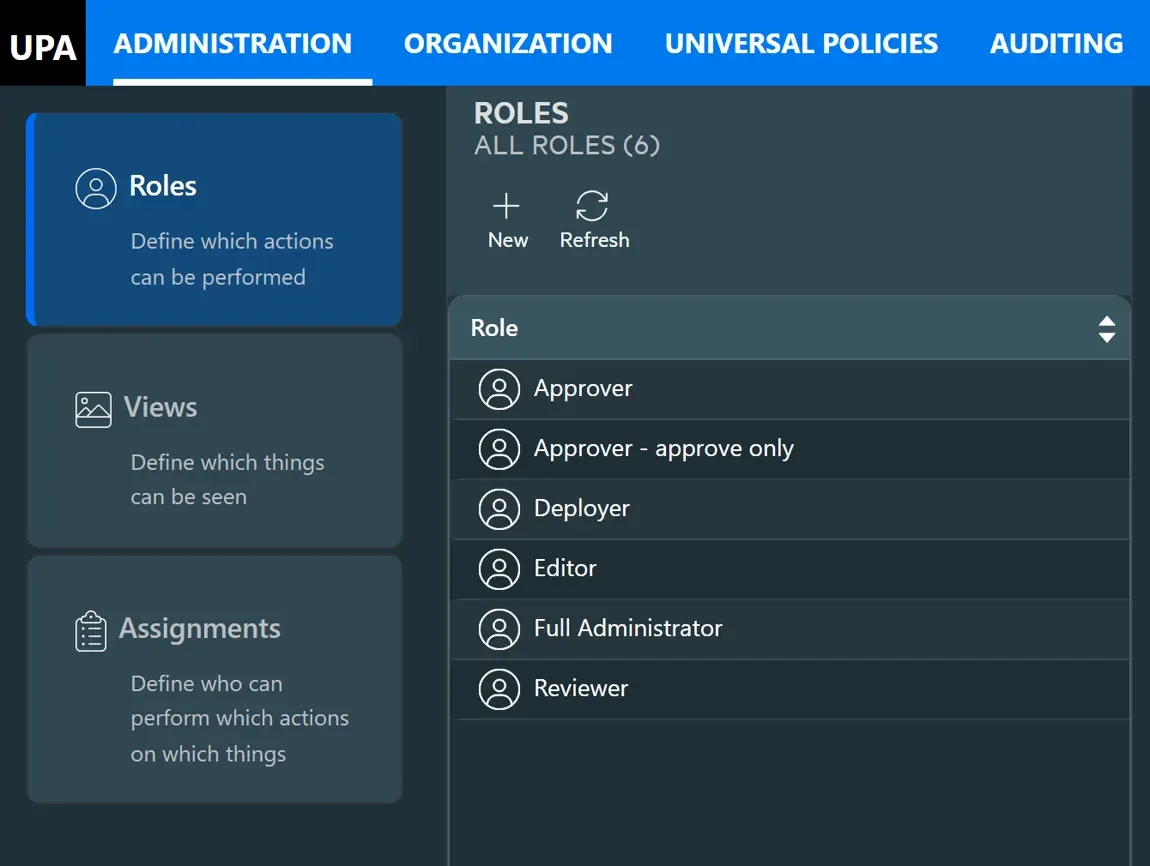
Roles, Views and Assignments on one screen, with the built-in roles ready to use and custom roles alongside them. See it in action
- roles, views and assignments, set up end to end.AGPM support ended in April 2026.
Your change control does not have to.
AGPM MIGRATION
Controlled editing, approval, version history and rollback all have direct equivalents in Universal Policy Administrator, and your existing versions, comments and history migrate with them. No Software Assurance, and no console to install on an administrator’s desktop.
Watch Group Policy management in action
WATCH
Two short films: an introduction to Universal Policy Administrator, and a walkthrough of the console managing Group Policy across domains.
Group Policy management questions, answered
COMMON QUESTIONS
-
Universal Policy Administrator is web-based Group Policy management software for the enterprise. It provides a browser console for authoring, reviewing, approving and deploying Group Policy Objects across multiple domains and forests, with version history, rollback, role-based delegation and full audit trails.
-
Neither. UPA is on-premise software, installed on your own servers and reached through a browser across your own network. Policy data stays inside your environment and no internet connection is required, so it suits isolated, air-gapped and regulated environments as well as connected ones.
-
Not for the change control itself. The difference is architectural: a browser console rather than a client installed on domain-joined desktops. That is what allows it to reach untrusted and acquired domains, be used from any workstation, upgrade in one place, and expose every managed domain to PowerShell.
-
UPA is a direct successor to Advanced Group Policy Management. It provides the same controlled change process — a managed archive, editor and approver roles, check-out and check-in, version history and rollback — without the MDOP licensing AGPM required, and adds multi-domain management and a web console.
-
Yes, and identically. UPA authenticates to each domain in its own right rather than relying on a trust chain, so an untrusted domain is imported once and then managed exactly like a trusted one — the same live connection, editor, approval workflow and version history, from the same console.
-
No. UPA writes standard Group Policy Objects into Active Directory, which Windows processes exactly as it always has. There is no client agent, no schema extension and no parallel enforcement channel — policies deployed by UPA keep working whether or not UPA is still in place.
-
Yes. Every version of every policy is retained, so recovery is a matter of selecting an earlier version and redeploying it. There is no dependency on a backup having been taken before the change, because the history is created by the change process itself.
-
Yes — any two points in a policy’s life, read as a list of settings added, removed or changed. Version against version, against the last approved version, against the live GPO in Active Directory, or one policy against another. Administrative templates, security settings and Group Policy Preferences all compare, and the same comparison is available from PowerShell as well as the console.
-
Precedence depends on link order, inheritance and blocking, and is not visible from any single screen in native tooling. UPA reports the effective result for a target, and flags settings that two policies both define, so a conflict is something you are shown rather than something you work out.
-
Yes. Every version is retained with its author, timestamp and check-in comment, so the state of a policy at any point in the period is read from the history rather than reconstructed from backups. Native Group Policy keeps none of this: editing a GPO discards what was there before.
-
No. The GPO in SYSVOL is the live object, so every save takes effect at the next refresh whether or not you had finished — which is why so much Group Policy work is done out of hours. In UPA the policy is authored, compared and approved in its own store, and nothing reaches Active Directory until someone deploys it.
-
Each version records its author, timestamp and the comment they left, along with who approved it and when it was deployed. Activity across the Repository — deployments, approvals, permission changes and exports — is recorded, so questions about who changed or copied a policy are answered from the record.
-
Yes. Roles in UPA are scoped to the policies and the part of the Repository a team owns, so an administrator can be given authority over their own policies without directory-level rights over every other GPO in the domain.
-
Yes — security settings, Group Policy Preferences, WMI filters and security filtering, alongside administrative templates in both ADMX and legacy ADM format, read from your own Central Store. That includes custom and third-party templates such as Citrix, Adobe and Chrome. Editing, version comparison and deployment cover the whole Group Policy Object rather than the registry-backed portion of it.
-
Not to use the console. Administration happens in a browser, so an administrator does not need the Group Policy Management Console installed, nor a domain-joined Windows desktop, to author and submit policy changes.
Ready to elevate your policy control?
NEXT STEP
READY TO ELEVATE YOUR POLICY CONTROL?
Modernize Your Group Policy Management Today
Join leading enterprises in revolutionizing their policy management. Book a personalized demo to see how UPA can future-proof your operations.
Web Console
100% GPO support in a modernized web console
Comprehensive Change Management
Offline changes, workflows, policy analysis, auditing
Enterprise Ready
Delegated administration, every domain, no agent